
Practical Excel tools for electrical contractors

Build clearer estimates, track job costs, manage supplier quotes and monitor progress billing with focused Excel templates designed for electrical project workflows.

Instant download · Excel desktop & Microsoft 365 · No macros · No subscription

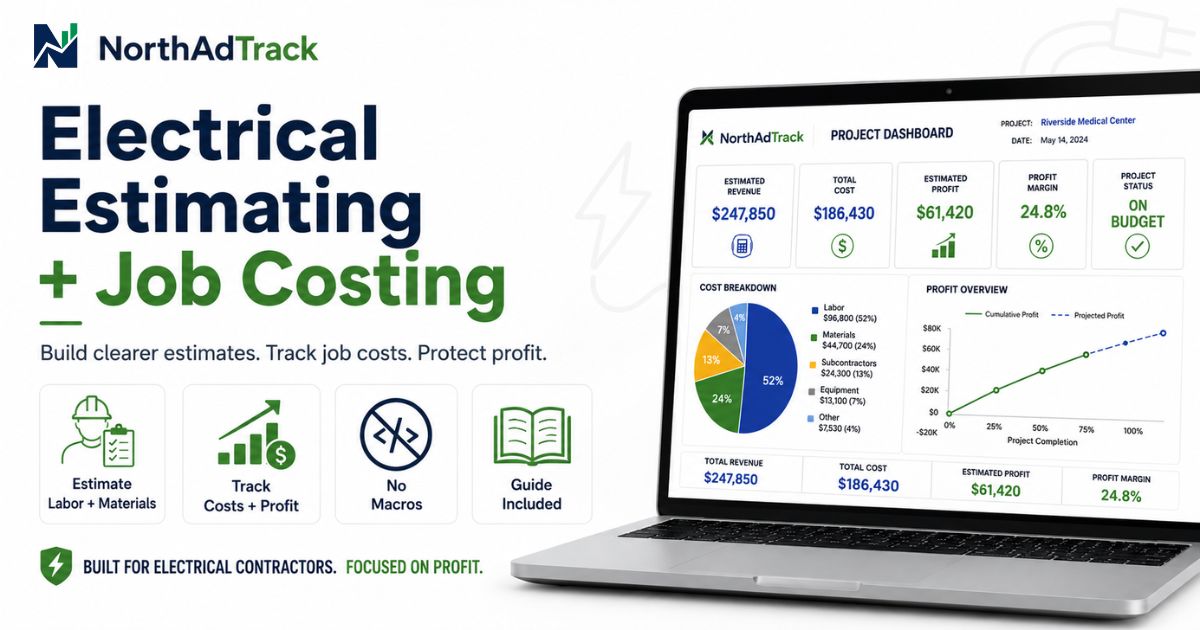
NorthAdTrack Electrical Estimate Template open in Excel — showing labour, materials and markup columns with project summary

Excel Templates for Electrical Contractors

Four focused tools covering the full project cycle, from first estimate to final payment.

Electrical Estimate Template spreadsheet showing cost breakdown by division with labour, materials, markup and project total

Best place to start

Electrical Estimate Template

Most estimates are built on rough notes or generic spreadsheets with no clear structure to reference once the job starts.

  • Build organized estimates with labour, materials and markup in one place
  • Break costs down by division or phase so nothing is missed
  • Compare your original estimate to real job costs as work progresses

Designed for Microsoft Excel desktop and Microsoft 365. Compatibility may vary by version.

View on Etsy →
Job Profit Tracker spreadsheet showing budget vs actual costs, revenue and margin summary by job

Job Profit Tracker

Many contractors finish a job without knowing the real margin. Costs accumulate across invoices, change orders and time sheets with no single view.

  • See whether a job is profitable before it is finished
  • Track actual costs against the original budget as the job progresses
  • Identify where margin is lost: labour, materials or overhead

Designed for Microsoft Excel desktop and Microsoft 365. Compatibility may vary by version.

View on Etsy →
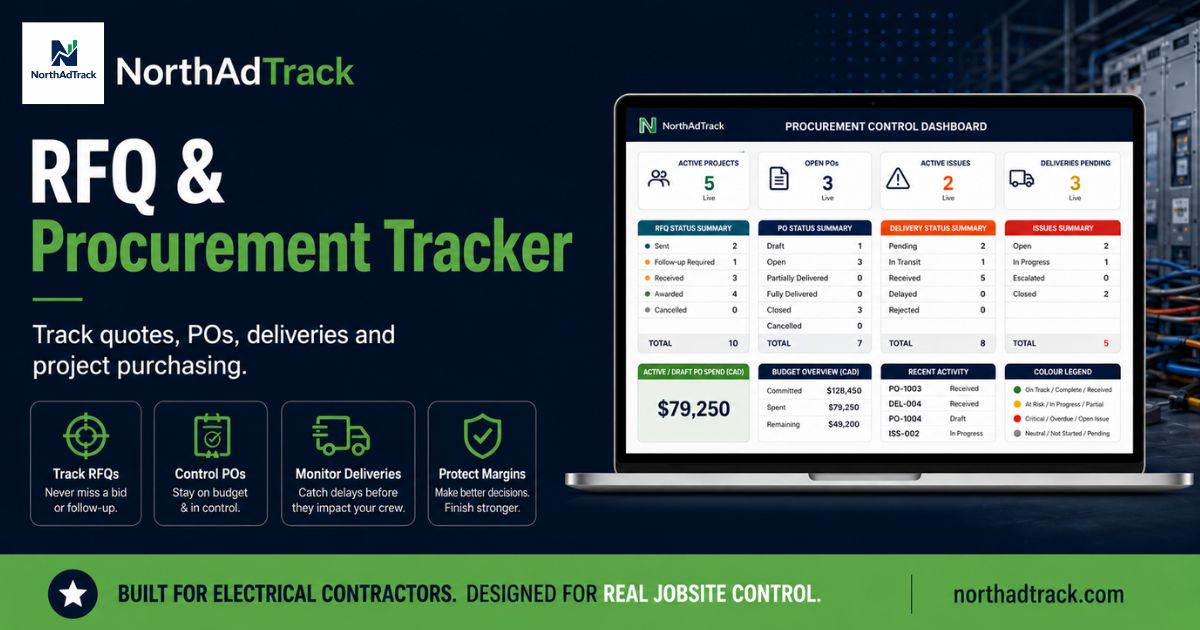
RFQ and Procurement Tracker spreadsheet showing supplier quotes, purchase orders and delivery status columns

RFQ & Procurement Tracker

Supplier quotes arrive by email, phone and text. Without a clear log, it is easy to lose track of who quoted what, which orders are placed and what is still outstanding.

  • Log supplier quotes and compare prices before committing to an order
  • Track purchase orders, expected delivery dates and receipt status
  • Know exactly what has been ordered and what is still missing

Designed for Microsoft Excel desktop and Microsoft 365. Compatibility may vary by version.

View on Etsy →
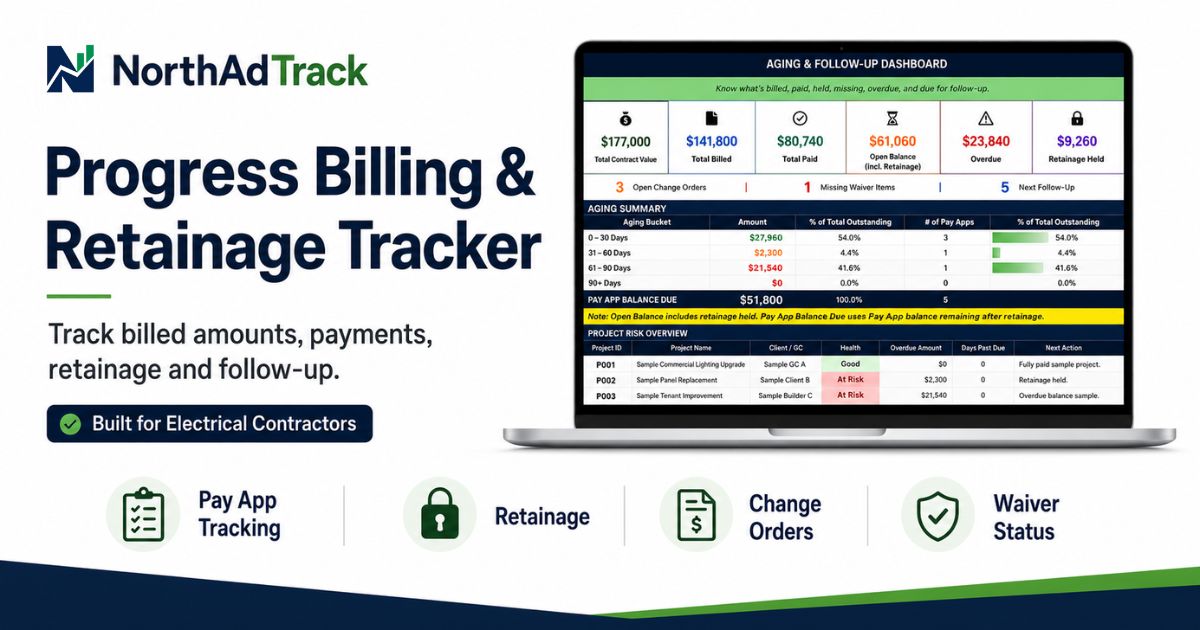
Progress Billing and Retainage Template showing billing periods, percentage complete, retainage held and payments received

Progress Billing & Retainage Template

Progress billing on multi-month projects is easy to underbill. Retainage gets forgotten and it becomes unclear what the client has actually paid.

  • Track billing amounts based on percentage of work completed across multiple periods
  • Track retainage held and when it becomes payable
  • Keep a clear record of invoices issued and payments received

Designed for Microsoft Excel desktop and Microsoft 365. Compatibility may vary by version.

View on Etsy →

From Estimate to Job Profit

Each tool covers a specific phase of the project cycle. Use one or all four, depending on what you need to track.

Estimate

Build a clear, structured project estimate with labour, materials and markup before the job starts.

Procurement

Collect supplier quotes, compare prices and track every purchase order and delivery through to completion.

Billing

Track progress billing, retainage and client payments at each stage of the project.

Profit

Compare your original budget to real costs and revenue. See the actual margin at any point in the job.

Designed Around Common Electrical Project Workflows

These tools address three problems that come up on nearly every job.

Estimates that are hard to revisit

Most project estimates live in email threads, rough notes or an unlabelled spreadsheet. When a change order comes in or costs shift, there is no baseline to refer back to. A clear starting estimate gives every job a reference point you can use throughout the work.

Real costs scattered across invoices

Labour, materials, subcontractors and equipment charges arrive at different times and from different sources. Without a single log, it is nearly impossible to know what a project has actually cost until the final invoice is already out.

Margin discovered too late

Many contractors only find out a job lost money after the final invoice is sent. By then there is nothing left to adjust. Tracking costs and billing in parallel lets you spot margin problems while you can still do something about them.

About NorthAdTrack

NorthAdTrack was created from practical experience in electrical distribution, quotations, procurement, supplier coordination, order follow-up and project cost tracking.

The templates are designed around recurring tasks found in real electrical project workflows, not generic spreadsheet categories.

The goal is simple: give independent electrical contractors and estimators a small set of clear, practical tools they can open in Excel and use on their next job, without training, without subscriptions and without complexity.

NorthAdTrack creates practical Excel templates for electrical contractors and small construction businesses to track estimates, procurement, billing, costs and job profit.

Built for contractors who need practical Excel tools for estimating, billing and job cost control.

Frequently Asked Questions

Who are these templates designed for?

These templates are built for electrical contractors, estimators and small construction businesses who need practical tools to manage project estimates, supplier procurement, progress billing and job profitability, without complex software.

Do these templates replace accounting or ERP software?

No. These are project-level tools for field and office use. They complement your accounting software but do not replace it. They help you track job costs, estimates and billing in a clear, simple format.

Are macros used in the templates?

No. The templates use standard Excel formulas only and do not require macros or VBA.

Can the templates be customized?

The main input cells are editable. Key formula cells may be protected to help prevent accidental changes. You can add your company name, adjust cost categories and adapt the structure to fit your workflow.

Are the files suitable for Canadian contractors?

The templates can be used by Canadian contractors and include editable fields that may be adapted to local currency, taxes and business terminology. Users remain responsible for verifying applicable accounting, contractual and legal requirements.

Is support included?

Basic email support is available for reasonable questions about using the files. Contact us at contact@northadtrack.com.